

Currently in TestFlight
Your protocol,
in one place.
V1 Protocol is designed for busy professionals and athletes. See what’s due today, check your Cargo Bay, or ask JARVIS what’s next.
Travel · Protocol tracking
See where your schedule falls.
From Detroit to Anchorage to Sydney, follow your saved peptide routine across time zones. Home time follows the Detroit clock. Local time follows the clock where you are.

Protocol tracking
From a saved plan to a recorded dose.
In Protocols, give your routine a name like “Morning routine.” Choose its compounds, enter the amount and unit for each, and set the days and times. You can group protocols by focus and give each one a start date and an optional end date.
V1 saves that plan in the app on your iPhone. Open Today to see what’s next, or Calendar to look across days. When you record a dose from its scheduled item, V1 keeps both the scheduled day and the time you logged for the dose. That entry stays with its scheduled day when you travel.
- Saved plan
- Daily · 8:00 AM · Home time
- Today at 8:00 AM
- Due Waiting for a dose entry
- Dose logged for 8:12 AM
- Recorded Linked to today’s 8:00 AM item
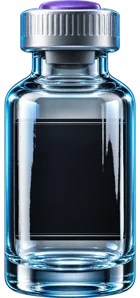
Inside Cargo Bay
Track what’s on hand, low or expired. This sample shelf holds two vials.
 5
 11
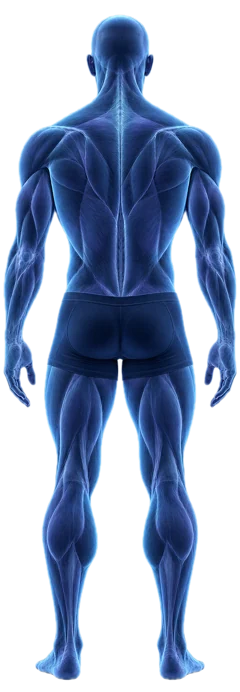
Injection-site history
Numbered spots connect entries in your log to the places you recorded. The two markers here are examples.
What happens if I stop a protocol item?
You can retire the item from your protocol list. Its future scheduled entries drop off Today and Calendar, and doses you already recorded stay in your history. You can restore the item later.
Where are my protocols and history stored?
V1 keeps them on this iPhone without a V1 login or cross-device sync. Deleting the app removes its local records. Your iCloud or computer backup may include app data, depending on your backup settings. Read the privacy policy.
JARVIS
Talk to JARVIS.
Ask “What’s in my Cargo Bay?” and JARVIS answers from your records on this iPhone. For general questions, you can choose online answers and the JARVIS voice.
What stays on my iPhone?
JARVIS reads your saved records and speaks those answers using your device’s voice. Speech recognition runs on the iPhone. V1 does not upload microphone audio for transcription.
When does JARVIS go online?
General questions go to an outside service for an answer. JARVIS voice sends answer text to a voice service. Live searches and watched topics send a query to a search service. Watches check while the app is open.
A first-use screen for granting or declining online JARVIS, and a setting to withdraw that choice later, is part of release 5.0 (36) and is still being prepared. Versions distributed before it do not show that screen. The privacy policy states plainly which behaviour belongs to which version.
Inside V1
Today & Calendar
See upcoming, due and recorded items. A reminder tells you a time has arrived. Recording the dose is a separate step.
Saved compounds
Keep the compounds you use, with the details you enter for each one.
Local reminders
Reminders are scheduled by iOS on your device. You choose whether they are on.
Home time & local time
Choose whether a scheduled time follows your home timezone or the time where you are.
Reconstitution calculator
Arithmetic on the figures you type, including concentration and draw volume.
Research Library
A reference directory of named subjects, with links that open in your own browser.
V1 organizes what you choose to record. It does not diagnose conditions, recommend treatments, prescribe doses, or promise any health outcome.
Reconstitution calculator
Calculate concentration and convert units.
V1 uses the vial mass and liquid volume you enter to calculate concentration. In the app, entering a target amount also shows its draw volume and equivalent markings on a U-100 syringe.
Grams, milligrams and micrograms measure mass. Milliliters measure volume. Converting a mass to a volume requires a concentration. On a U-100 syringe, 100 syringe units correspond to 1 mL.
Convert mass units
Enter an amount to see the same mass in mcg, mg and g.
Research Library
Look up a compound.
Find a name or alias in V1’s educational directory. Explore compounds, stacks and blends, then follow the listed sources for further reading.
Privacy
Your records stay on your device
Compounds, protocols, schedules, history, inventory, saved calculations, weight, labs and profile records are stored on your iPhone. V1 does not attach them to an online question by itself, and there is no sync service. What you type into an online question is sent as part of that question.
Read the full privacy policyTry V1 Protocol on iPhone.
V1 Protocol is in TestFlight and is not yet available on the App Store. For questions about the app, about taking part in testing, or about privacy, email us.
Andre@v1protocol.com